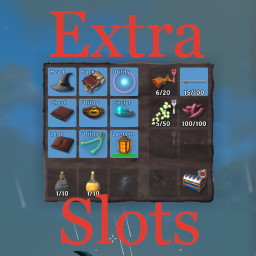
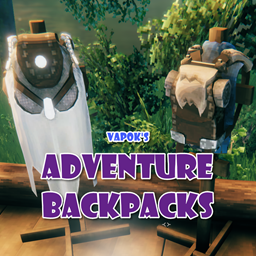
Short answerYes. AzuExtendedPlayerInventory can add configurable rows to the main inventory, ExtraSlots focuses on dedicated equipment, food, ammo, utility, and quick slots, and AdventureBackpacks adds wearable storage with its own configurable grid. Choose one inventory framework rather than stacking incompatible managers.
Search this question →
Mods that do this
AzuExtendedPlayerInventory
Azumatt
AzuEPI (Extended Player Inventory) is a comprehensive inventory expansion mod that adds more rows to inventory, equipment slots, quick slots, vanity customization, and loadout management to Valheim. Controller friendly.
⬇ 1.4M Downloads
More inventory slots dedicated for equipment, food, ammo and misc items. Extra utility slots. Quick slots. Custom slots API. Player inventory resize. Gamepad friendly. Slot obtaining progression.
⬇ 1.3M Downloads
A Valheim Mod to add a catalogue of Adventuring Backpacks to the Game. These packs will grow and become more useful as the game progresses.
⬇ 1.2M Downloads
The details
AzuExtendedPlayerInventory expands the main player inventory with zero to six configurable extra rows. It also manages equipment and quick slots, so use it when the direct goal is a larger character inventory rather than a separate bag.
ExtraSlots adds dedicated places for equipment, food, ammo, miscellaneous items, utilities, and shortcuts. Those slots reduce pressure on the regular grid but are not the same as adding ordinary backpack rows. Its README and AzuEPI both mark the two inventory managers as incompatible.
AdventureBackpacks provides craftable, wearable, upgradeable bags. Each quality level can have its own width and height, and the equipped bag opens as a separate inventory, so it adds storage without pretending to be another row of the character grid.
Before removing an inventory mod, switching frameworks, or reducing row or bag dimensions, move every item from affected extra slots into ordinary chests and make a character backup. ExtraSlots explicitly warns that items left in extra slots can be lost during backward migration.
For multiplayer, follow each package's current installation rule instead of assuming client-only behavior. AzuEPI requires server and clients for full functionality, while current AdventureBackpacks releases enforce matching server/client versions to protect backpack contents.
New to mods? Read the install & configuration guide. Read the full install & configuration guide →
Related questions
- How many inventory slots does vanilla Valheim have?
- Vanilla gives you 32 slots (4 rows of 8). Row-based mods let you raise that number in a config file; backpack mods add a separate grid on top.
- Do inventory mods break multiplayer?
- They can when versions or required installs differ. Use the same supported inventory framework, version, and synchronized settings on the server and clients specified by its README; do not combine AzuEPI with ExtraSlots.