
Official_BepInEx_ConfigurationManager
Azumatt
Mod to assist with configuration of BepInEx mods
把 Official BepInEx ConfigurationManager 安装到与其它 Valheim Mod 相同的 r2modman 或 Thunderstore Mod Manager 配置档,然后用 Start modded 启动游戏,进入游戏后按 F1。面板只会列出已经成功加载、并通过 BepInEx Config 暴露设置的插件;缺失、加载失败或没有暴露配置的 Mod 不会凭空出现在这里。
Mod to assist with configuration of BepInEx mods

BepInEx pack for Valheim. Preconfigured with the correct entry point for mods and preferred defaults for the community.
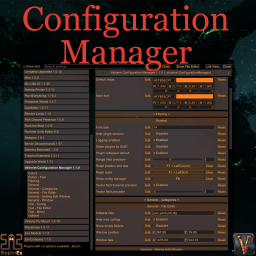
Localized, recolored, refined. Split view mode. Config files editor. Setting edit window. Changed values are highlighted. Prevent user input or pause the game while window is open. Window scale depends on game scale.
在 r2modman 或 Thunderstore Mod Manager 中先选中实际游玩的 Valheim 配置档,搜索 Azumatt 发布的 Official BepInEx ConfigurationManager,并连同依赖安装。放在配置档内可避免把文件混入原版或其它测试环境。
必须点击管理器的 Start modded 启动,而不是使用绕过配置档的普通桌面或 Steam 快捷方式。确认 BepInEx 先加载后,进入游戏按 F1;这是 Configuration Manager README 记录的默认热键。
左侧会列出已加载插件或公开的配置文件。搜索 Mod 名称、选中后展开对应分组,并在改值前阅读说明。若某个 Mod 没有通过 BepInEx Config 暴露设置,面板就没有可显示的内容。
F1 没反应时,先排除其它 Mod 占用同一热键,再查看 BepInEx 控制台或日志是否加载了 ConfigurationManager。确认 DLL 位于当前配置档的 BepInEx/plugins 下,且 BepInEx 版本受支持;不要在多个配置档间随意复制 DLL。
设置能否立即生效由拥有它的 Mod 决定。有些会监听实时改动,有些只在载入世界或启动进程时重建数据。应以该 Mod 自己的 README 为准,文档要求重载世界或重启游戏时就照做。
联机时 Configuration Manager 只是编辑界面,不会让客户端数值自动成为权威,也不会同步任意配置。服务端同步或仅管理员可改的值可能被锁定或覆盖;应按目标 Mod 文档在服务器修改,并在 GUI 没有选项时回到对应的 BepInEx/config/*.cfg 或其指定配置文件。
第一次装 mod?看看安装与配置教程。 查看完整安装与配置教程 →